GREEKCAPTAIN Script Library

My userscripts, kept in one place.

A simple home for the Waze Map Editor scripts I use, maintain, and share. Pick a tool, check what changed, and install it straight into Tampermonkey.

greekcaptain/library
// ==UserScript== // @name WME GreekCaptain Tool // @author GreekCaptain // @match https://www.waze.com/*/editor* // @match https://beta.waze.com/*/editor* // ==/UserScript== install → open in Tampermonkey raw → inspect source password → unlock private userscript

Scripts

All WME userscripts are loaded here

Upload scripts

Add or update a Tampermonkey userscript. Metadata is read automatically, and you can add showcase pictures for the details page.

View library
Drop a .txt, .js or .user.js file here
No file selected

User access

Registered users appear here. As admin, you can give each user access to private scripts without seeing their password.

Traffic metrics

Private live dashboard. Enter the traffic password or your admin password to view Waze feed metrics.

Admin · Live Waze feed

Traffic metrics

Live alerts, jams, irregularities and hotspot breakdowns from the PartnerHub feed.

Not loaded yet
Live

Alert types

Live distribution

Top cities

By alerts

Top jams

Delay / length

Hazard subtypes

Click for locations

JB Geometry

Opening the animated overview.

JB Geometry

Shape junctions visually.

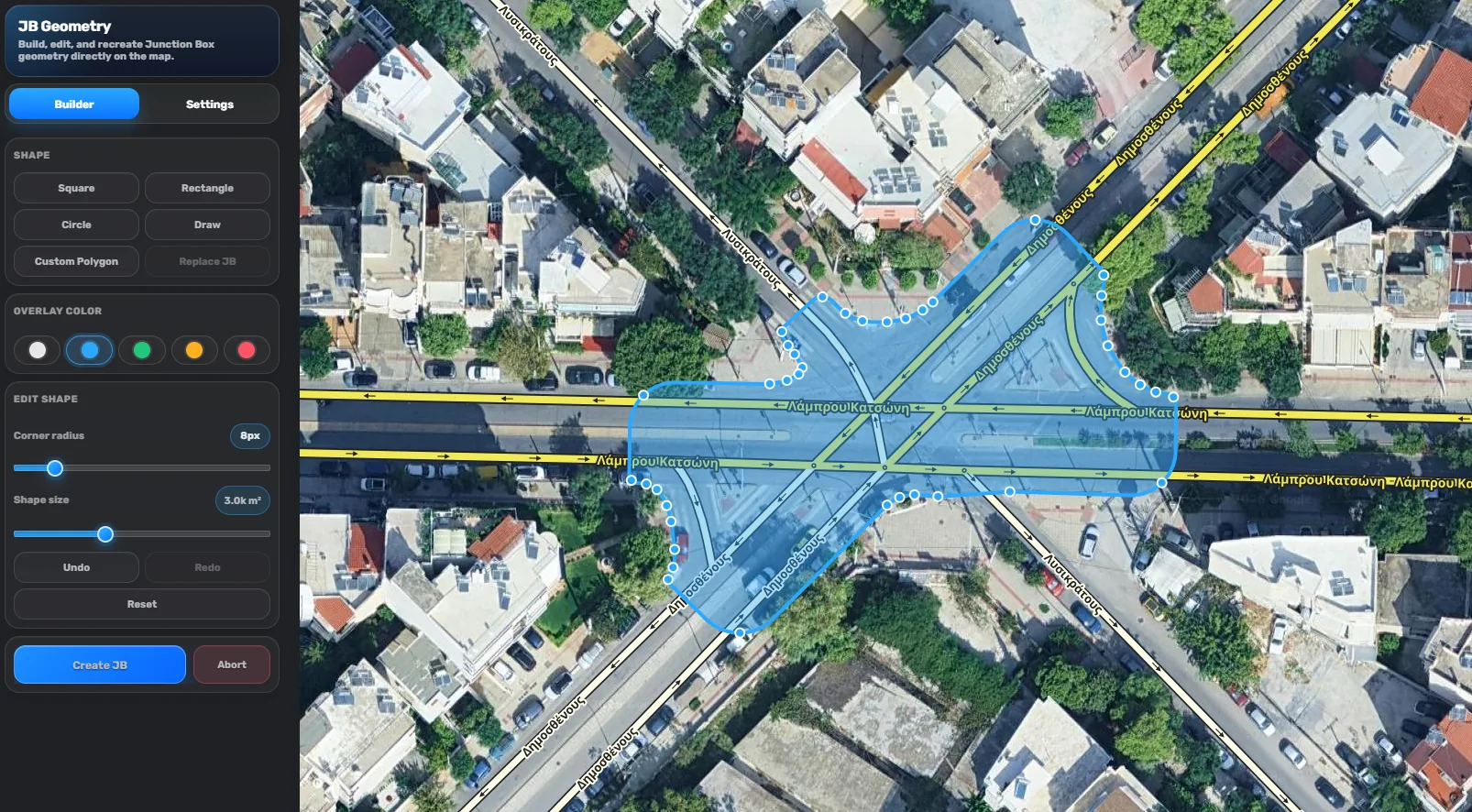
A focused WME builder for drawing, editing, and recreating Junction Box geometry directly on the map — with live shape controls, color previews, snapping, keyboard shortcuts, and one-click creation.

Scroll to explore

Built around the map, not a form.

The tool keeps the builder panel compact while the geometry stays front and center. Shapes are shown directly over imagery and WME segments, so you can judge alignment before creating the Junction Box.

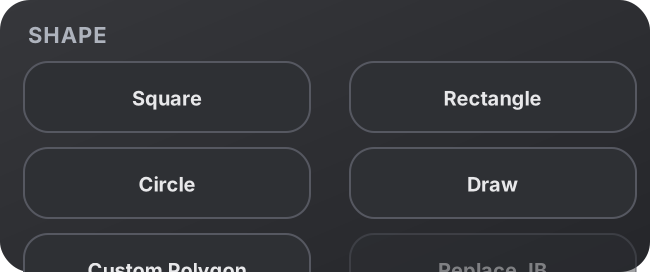
Square, rectangle, circle, draw mode, and custom polygon workflows.
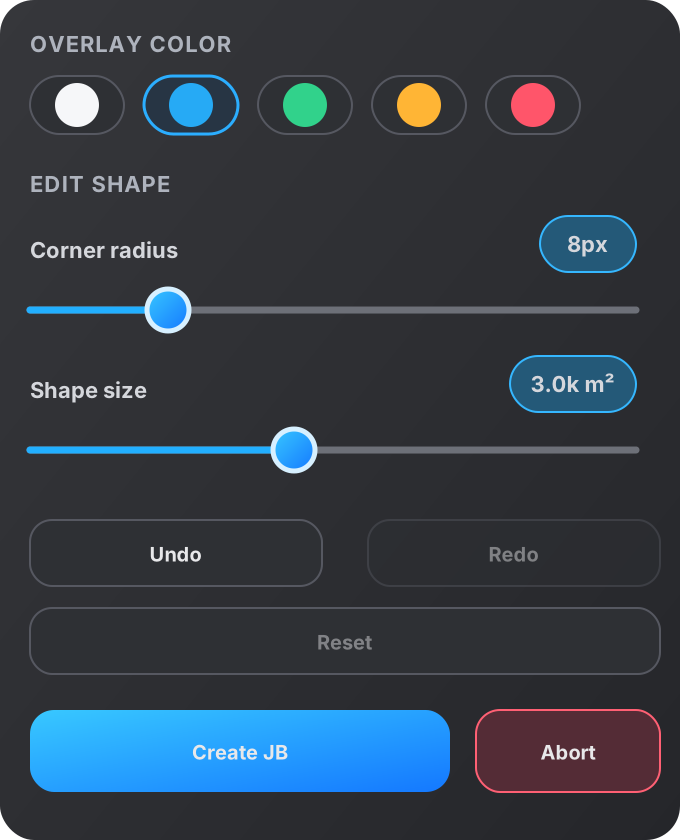
Live overlay colors for blue, green, orange, red, or neutral previews.
Corner radius and shape-size sliders update the preview immediately.
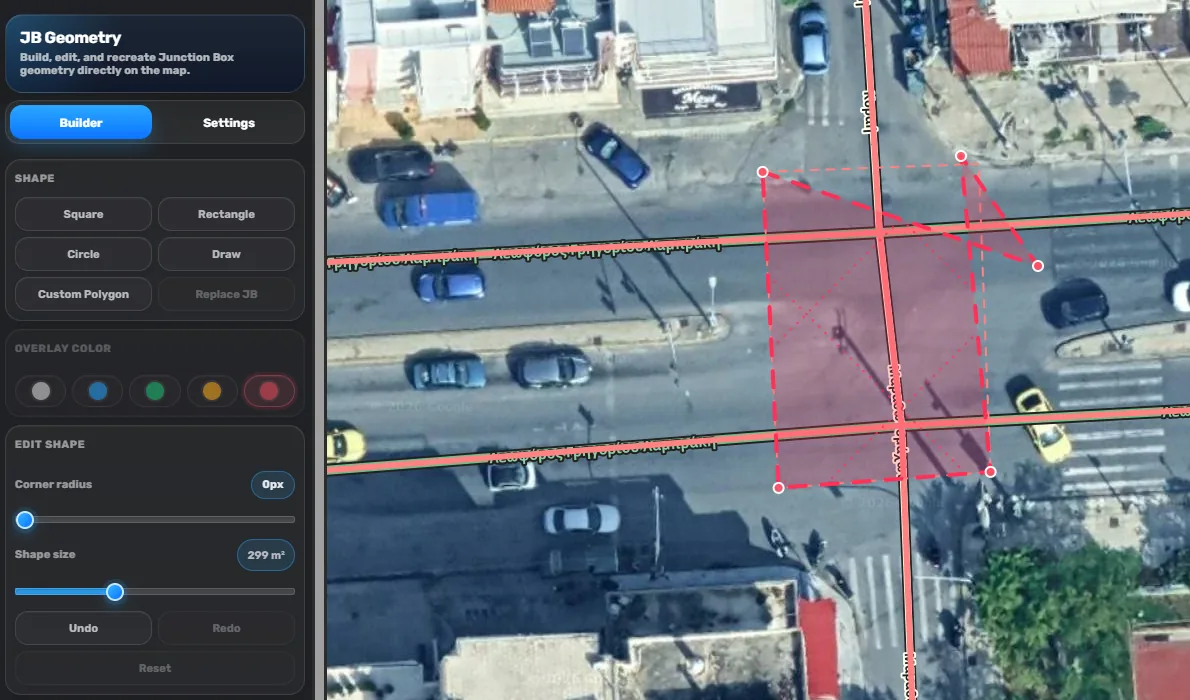
Warnings before bad geometry gets created.

The red overlay is used when a custom or drawn shape becomes weird, invalid, or unsupported for Junction Box creation. It makes the problem obvious, so you can move vertices, undo, reset, or abort before saving a broken shape.

Unsupported shape warningFix verticesUndo / RedoAbort safely

Small controls, fast decisions.

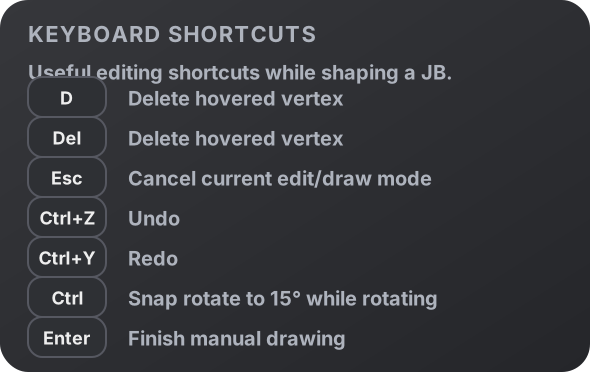
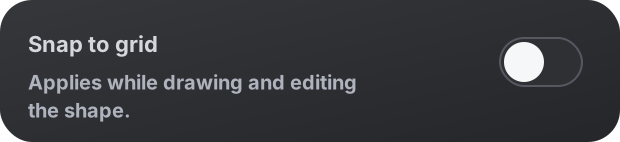
The settings stay lightweight: language selection, snap-to-grid, shape selection, overlay colors, shortcuts, and editing sliders are all designed to be quick to scan while you are working inside WME.

Keyboard shortcuts Language setting Snap to grid setting Shape controls Edit controls
Latest patch notes

Changelog v0.2.4

The latest stable release focuses on making the Junction Box workflow easier to open, safer to review, and cleaner in both dark and light themes.

Stable release · v0.2.4

Added

  • Added Open JB Geometry Editor inside the Junction Box entry view.
  • Added a high-priority manual review warning after replacing a Junction Box.

Fixed

  • Fixed light theme font visibility issues inside the setup and changelog modals.

Known issue

  • Turn instructions and far-lane guidance cannot be restored automatically after replacing a Junction Box yet.

Designed for clean geometry, without slowing WME down.

JB Geometry keeps the workflow visual: pick a base shape, adjust it, draw a custom polygon when needed, then create the Junction Box only when the preview is right.

Builder modeSettings modeCustom polygonSnap to gridKeyboard shortcuts